

Views
Edalitics allows the definition of views at the logical model level, which will behave as new tables.
To define a view, follow these steps:
-
Go to the corresponding option of the management menu and select the data source to be changed:
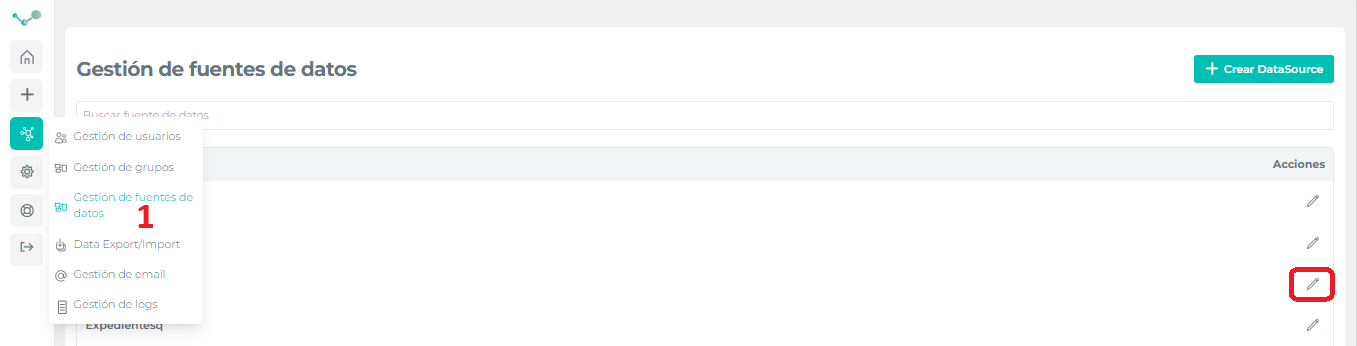
-
Select the data model and click on “Add view”:
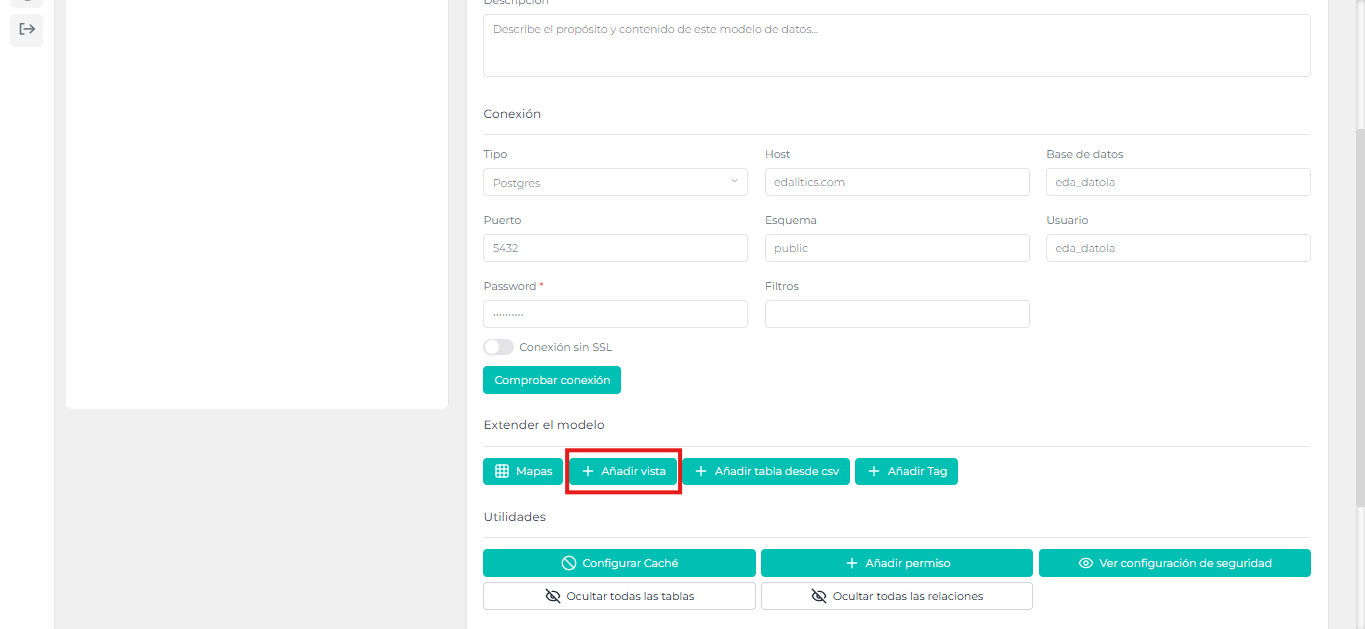
-
Type name, technical name, description and SQL expression, then confirm the operation:
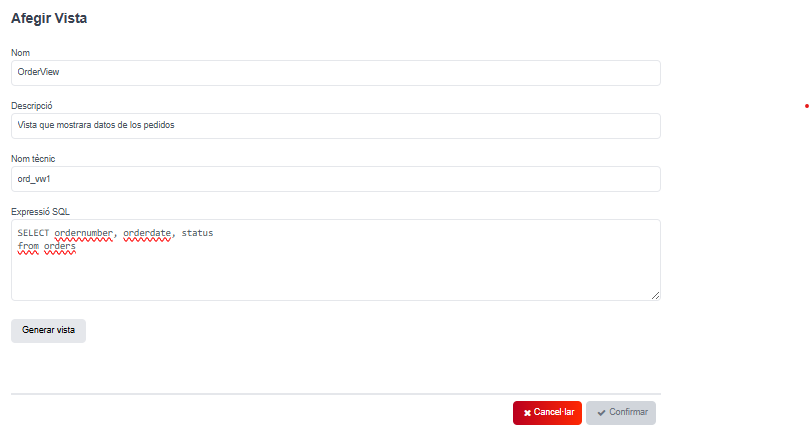
⚠ The SQL expression will have to contain which columns we want to retrieve (SELECT) from the table we want to (FROM).
Once all the above fields have been completed, we will have the “Generate view” button that will allow us to check the expression and see if the whole process has been done correctly.