

Import panel
Edalitics has developed a new feature that allows you to import a panel from another report into the report you are currently viewing.
Steps to import a panel:
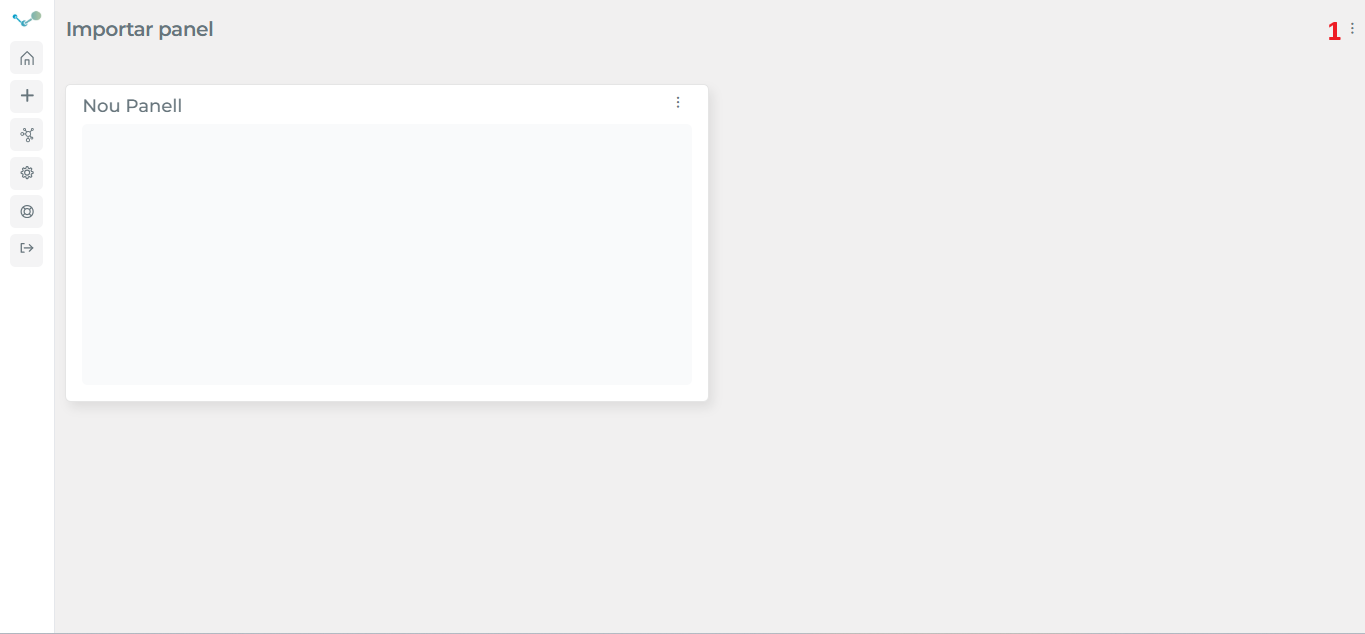
- Go to the drop-down menu located in the upper right corner (1):
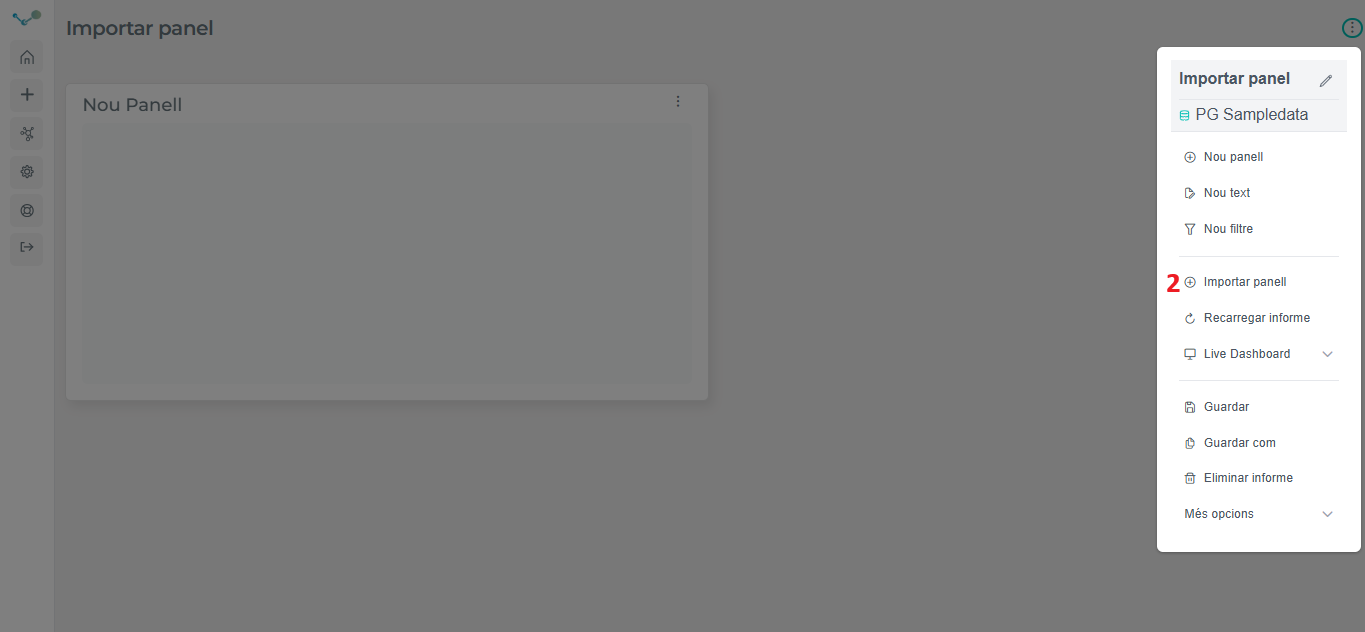
- Select “Import panel”(2):
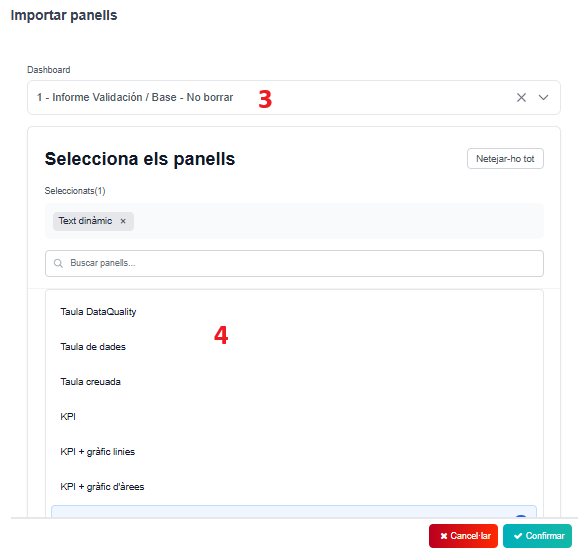
- Select the dashboard (3) where the panel/s (4) you want to import is located. Then, choose the panel/s you want to import and “Confirm”.
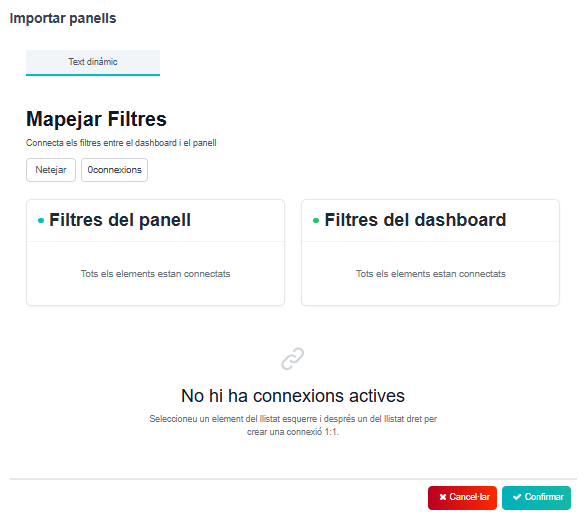
- You will see the filters of the panel/s and dashboard. If everything is correct, “Confirm” and the panel/s will be imported to the current dashboard.
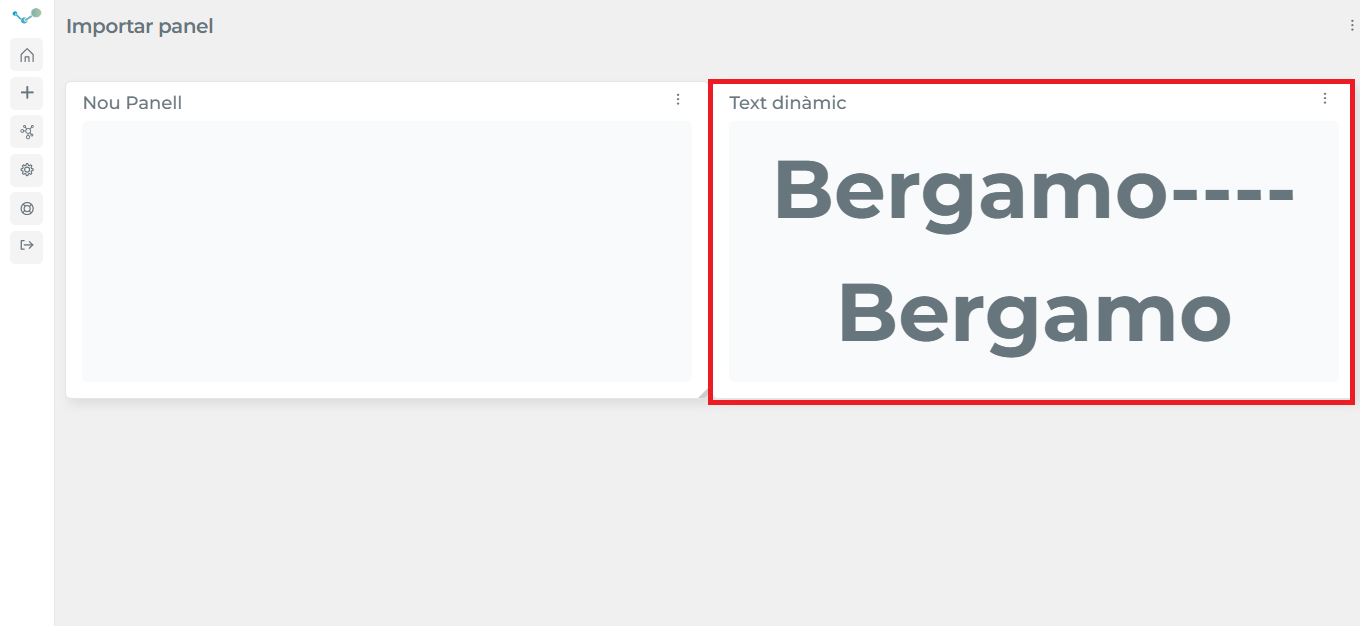
- Your dashboard now:
⚠ IMPORTANT! YOUR PANEL WILL NOT BE DELETED FROM THE ORIGINAL DASHBOARD. YOU CAN EDIT THE CHART OPTIONS BUT NOT THE QUERY