

Configure the AI
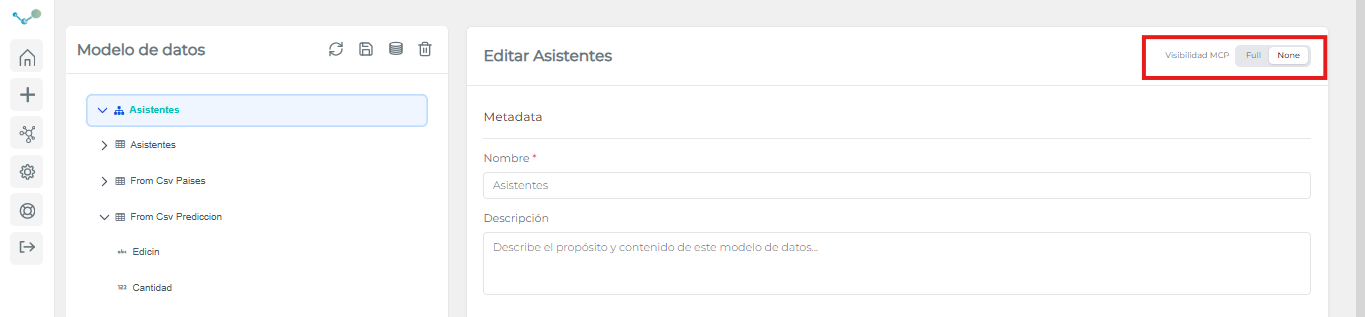
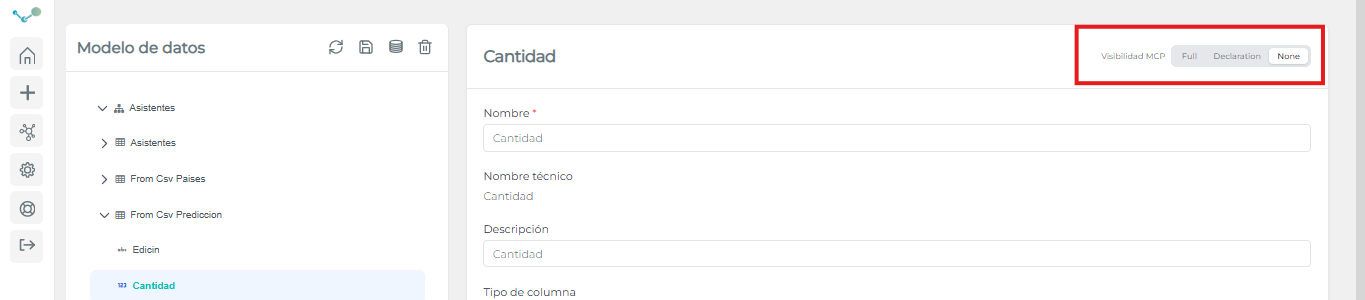
You can configure the Edalitics Assistant’s access level to data directly from the data source using the “MCP Visibility” option.
This setting allows you to define what information the assistant can detect and use:
- Full → The assistant has full access to the data and can use it in its queries.
- None → The assistant has no access and will not detect the existence of that source or element.
- Declaration (only available for columns) → The assistant can detect that the column exists but cannot access its content or use its data.
Thanks to this configuration, you can precisely control the level of information exposure, ensuring secure use tailored to the needs of each organization.
Assistant Management
Section titled “Assistant Management”The assistant management feature allows you to configure the parameters of the AI assistant. To access assistant management, go to the left-hand menu, select the third icon, and then “Assistant Management.” This section lets you configure the provider (the AI you want to use), the API key, the model, and provide context to adapt its behavior to your needs.
The ability to choose from different AI providers makes the assistant agnostic, allowing users to select the model best suited to each use case without being tied to a single vendor. Furthermore, it offers locally run AI models, such as Qwen, for environments requiring greater data control.