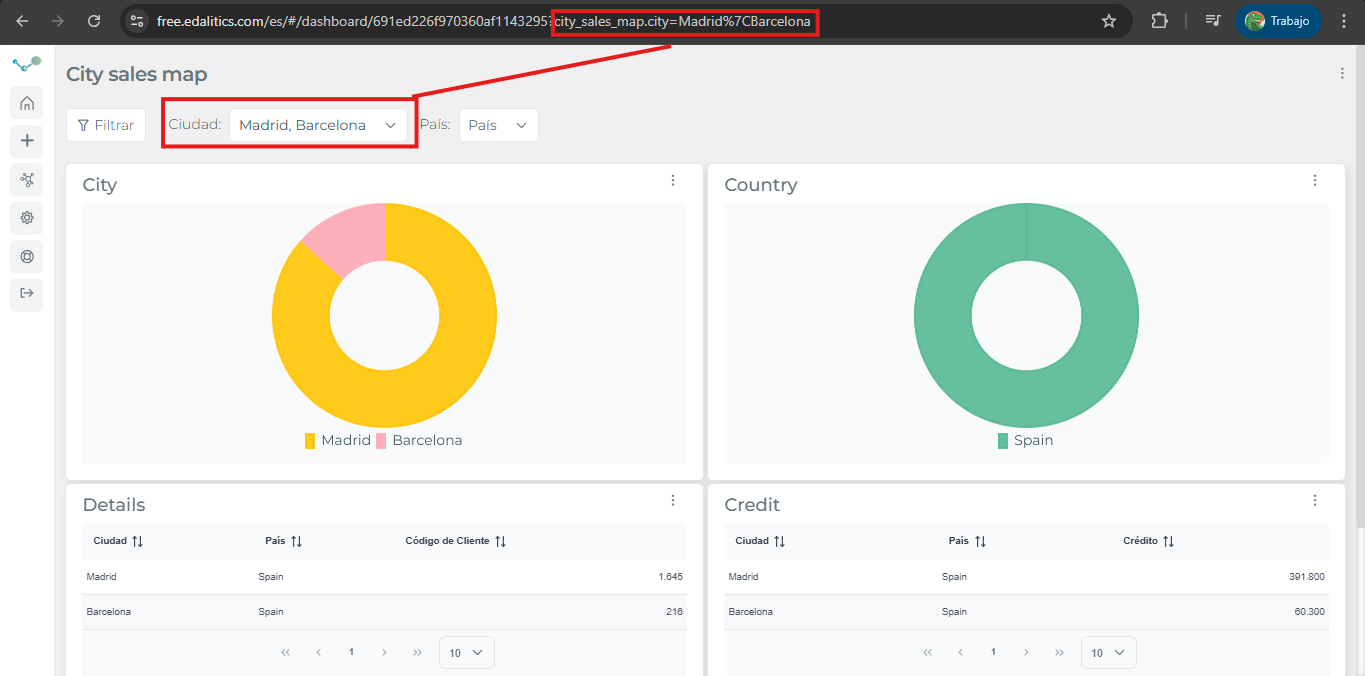

Report parameters
Edalitics allows you to provide values to report filters via URL. A report filter is nothing more than a query on a column of a table. So you can provide the table and column name in the url followed by the desired values and edalitics will apply the filters.
For instance: the report https://free.edalitics.com/es/#/public/691edce5f970360af11436c8 has a filter that allows you to choose a city and/or a country .
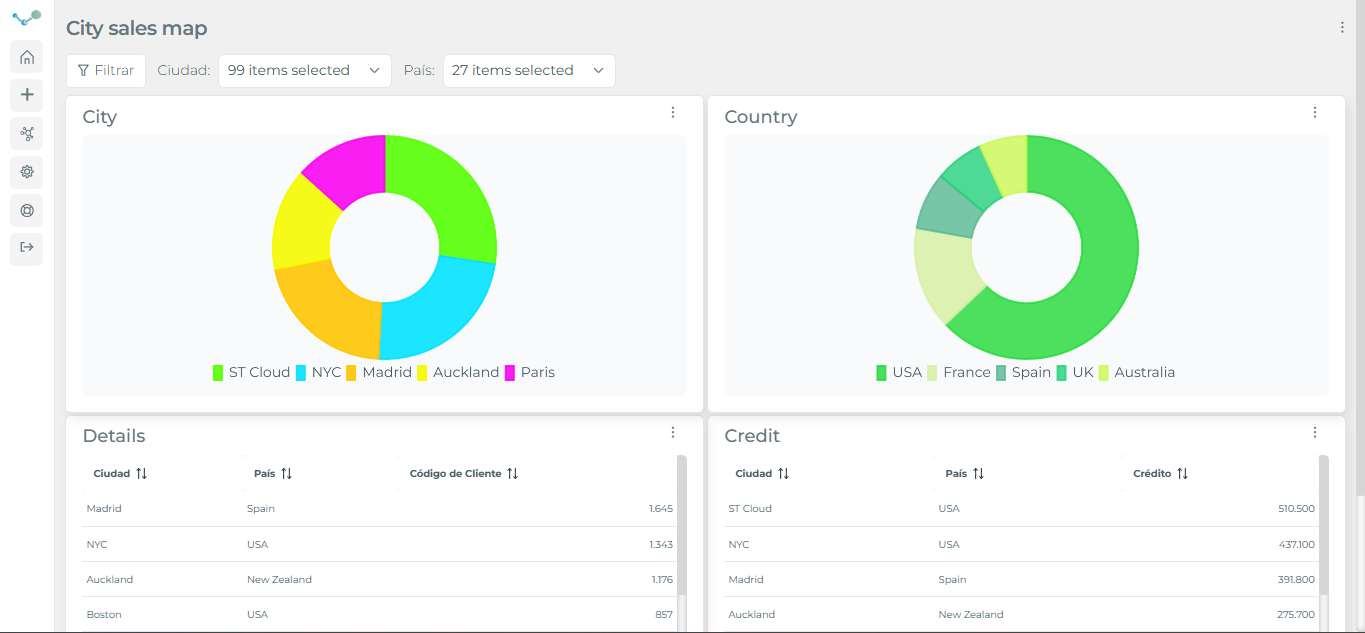
In this way, we can provide the value we want for the filter of our report by adding the values to the url and edalitics will propagate it to the filter: https://free.edalitics.com/es/#/public/691edce5f970360af11436c8?customers.city=Madrid
In the event that you want to provide more than one value to the filter, you can concatenate them with a pipe | https://free.edalitics.com/es/#/public/691edce5f970360af11436c8?customers.city=Madrid%7CBarcelona