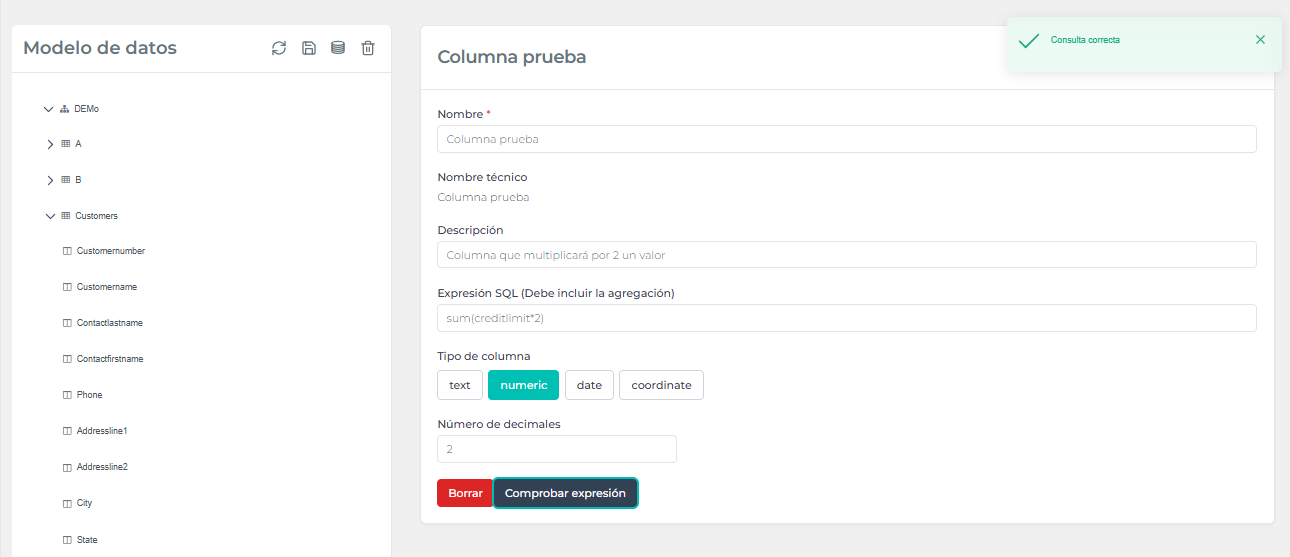

Calculated fields
Edalitics allows the creation of computed fields in existing tables, which allows different operations linked to a table.
In order to add a computed field, follow these steps:
-
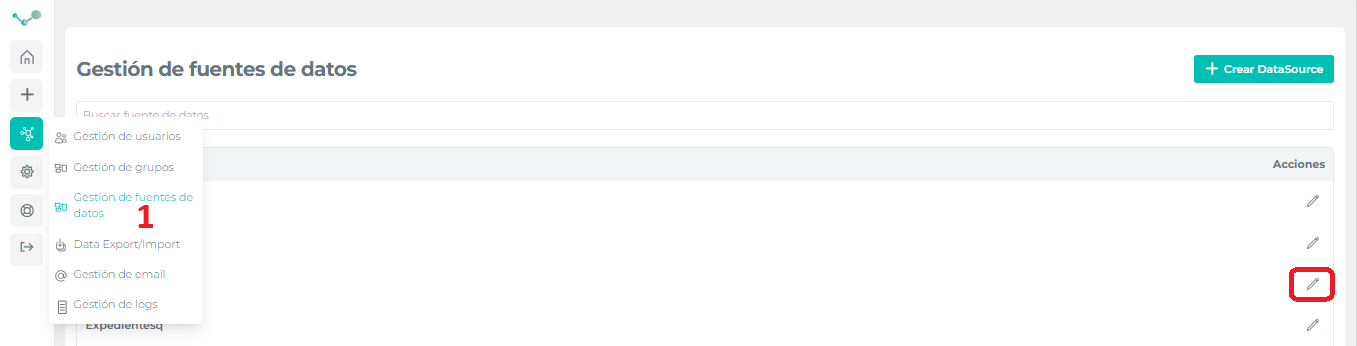
Go to the corresponding option of the management menu and select the data source to be changed:
-
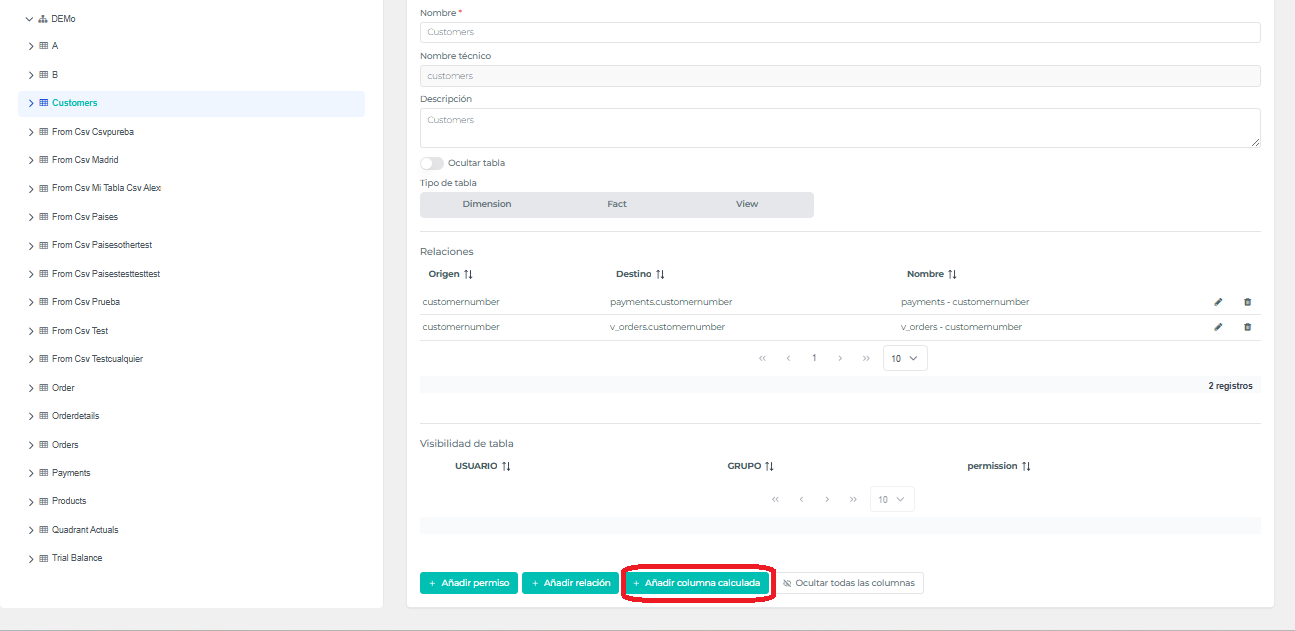
Select the model and the table to work with, click on “Add calculated column”:
-
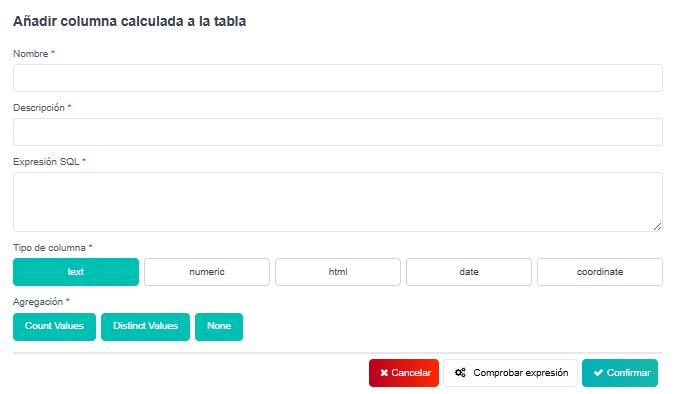
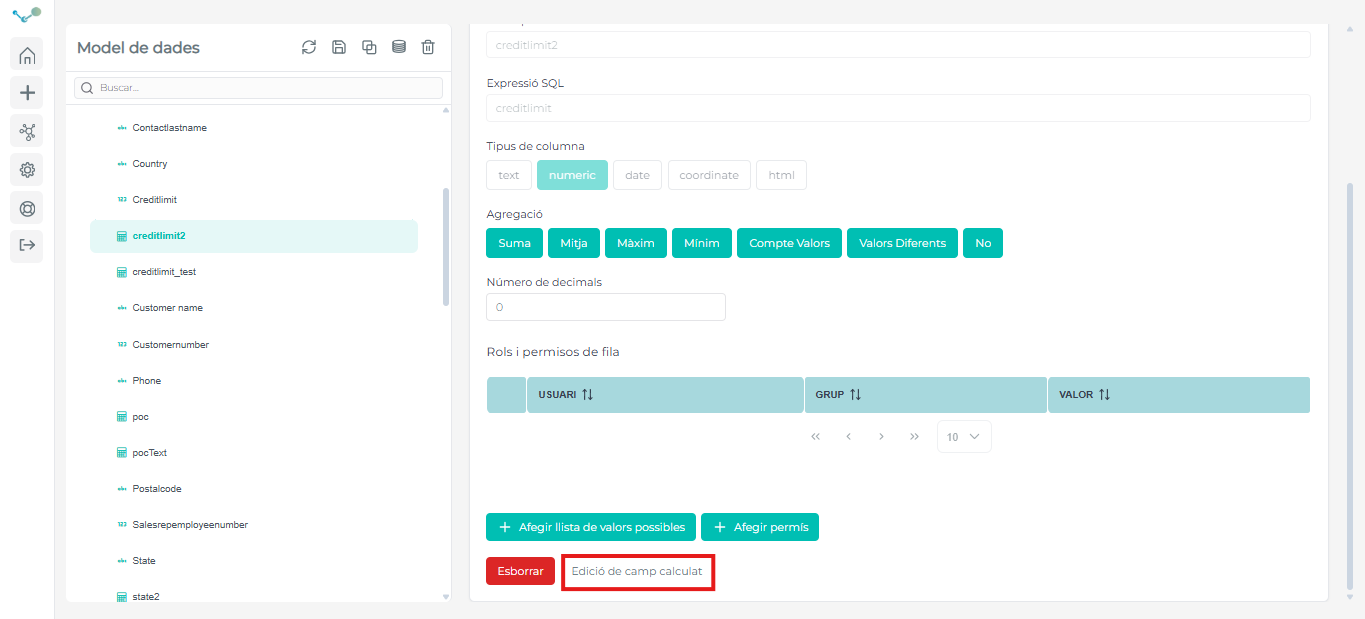
Enter the column name, description, and SQL expression. Select the column type and aggregations. Check the expression to verify that it is correct and confirm:
-
With the button “Edit calculated field”, we can edit the name, the description, the type of column and the expression if it is necessary.
⚠ If the column type is numeric, it will be necessary to add the corresponding SQL expression
Video tutorial
Section titled “Video tutorial”Add calculated field of numeric type
Section titled “Add calculated field of numeric type”In order to make our field a numeric field, all the next fields must be filled.
- Column name
- Column description
- Column type
- Number of decimals to work with
- SQL expression
⚠ We will have to type the SQL expression with the different numeric columns we have in the same table.
Once all the previous fields have been completed, we will have a button that will allow us to check if the expression is correct and if the whole process has been completed correctly.