
Main screen
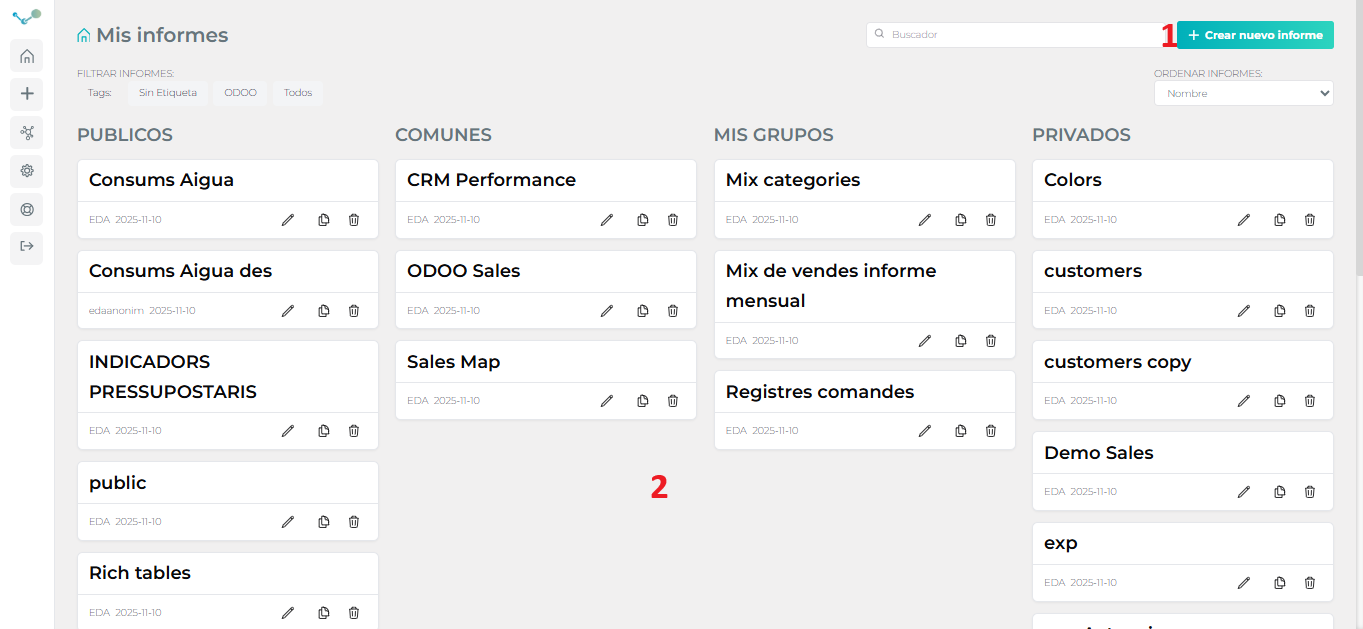
The app is designed to be particularly easy to use. With a clear and intuitive main screen. Having the main functionalities just a click away:
Being able to generate a new report (1) or access an already defined report depending on the existing visibility level (2).
There may be reports:
- Private: Visible only to the user and the administrators.
- Shared: Visible by any user belonging to one of the groups with which the report has been shared.
- Common: Visible by any user who has logged into the application.
- Public: Publicly visible without the need to log in to the application through a special publicly accessible link.
Public reports
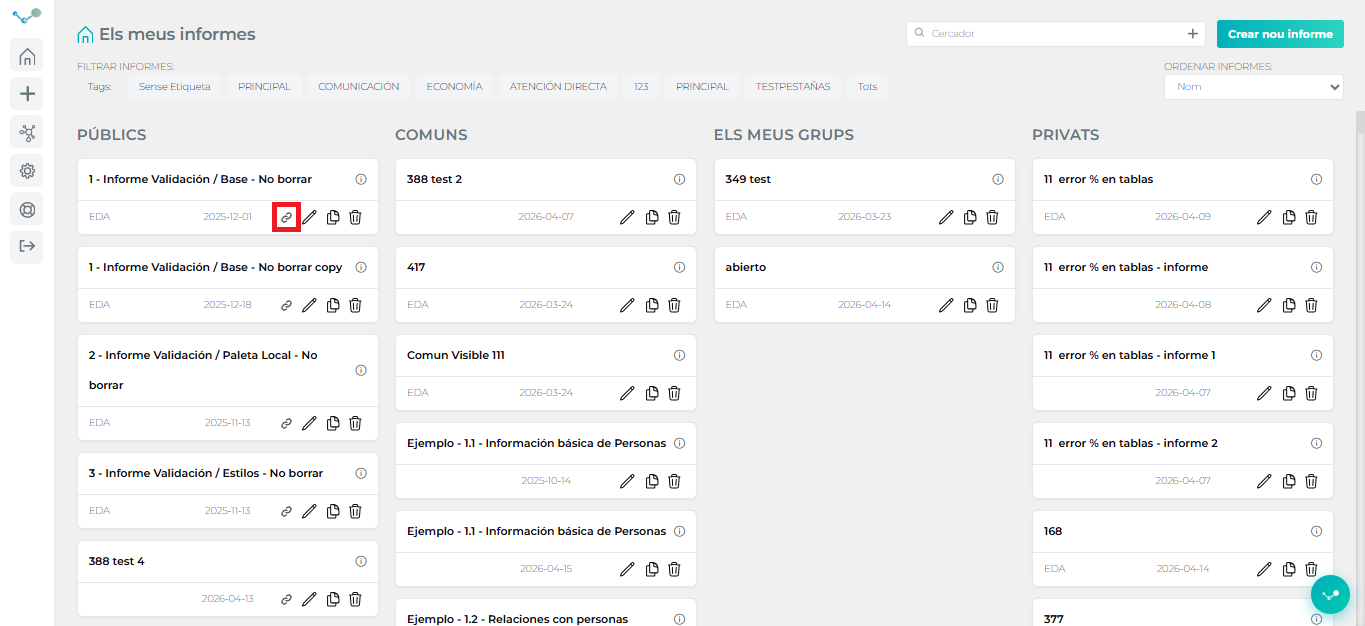
Section titled “Public reports”In public reports, a new button with a link icon has been added. This icon allows you to directly copy the report’s public link.
Report information
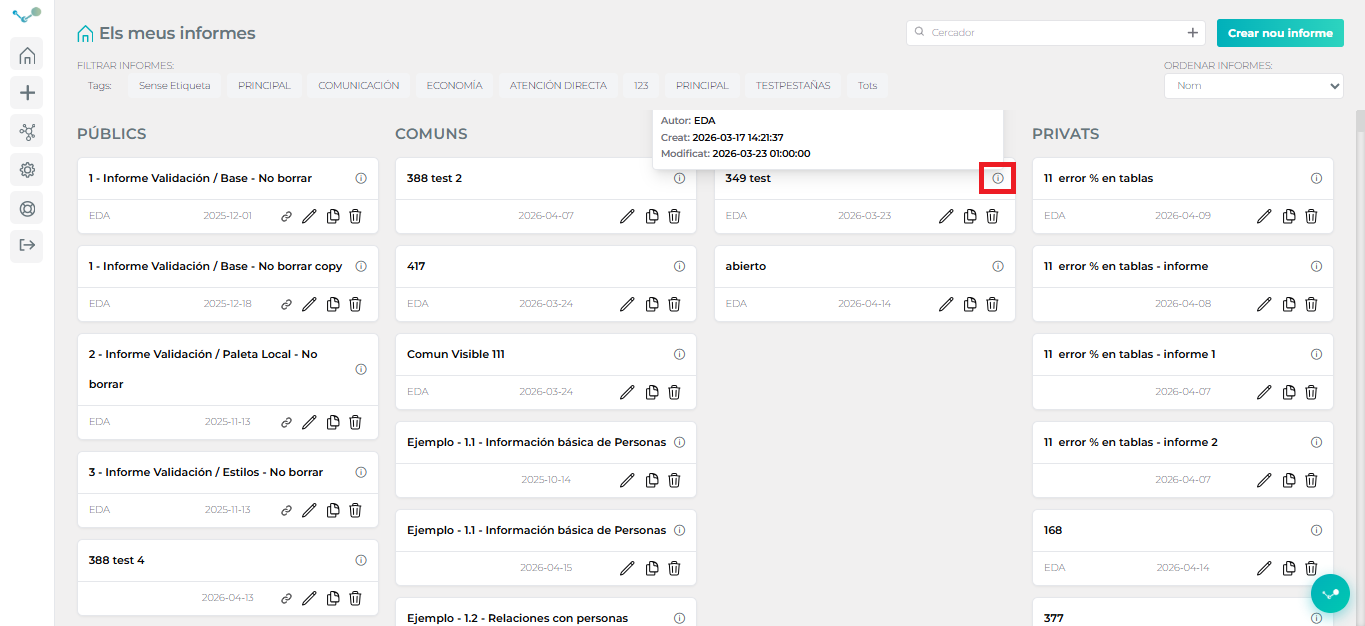
Section titled “Report information”In addition, the ability to view report information has been added, such as the data source used, the creation date, and the date of the last modification. This functionality is activated by hovering the mouse over the icon located in the upper right corner.
Report filter
Section titled “Report filter”In Edalitics, you can filter reports directly from the main screen to easily find and organize them.
This feature allows you to display only the reports that meet specific criteria, such as author, data source, creation date, or a specific tag, thus streamlining access to relevant information.