
Database permissions
Edalitics allows to add and remove permissions from databases.
To add or remove databases permissions, follow these steps:
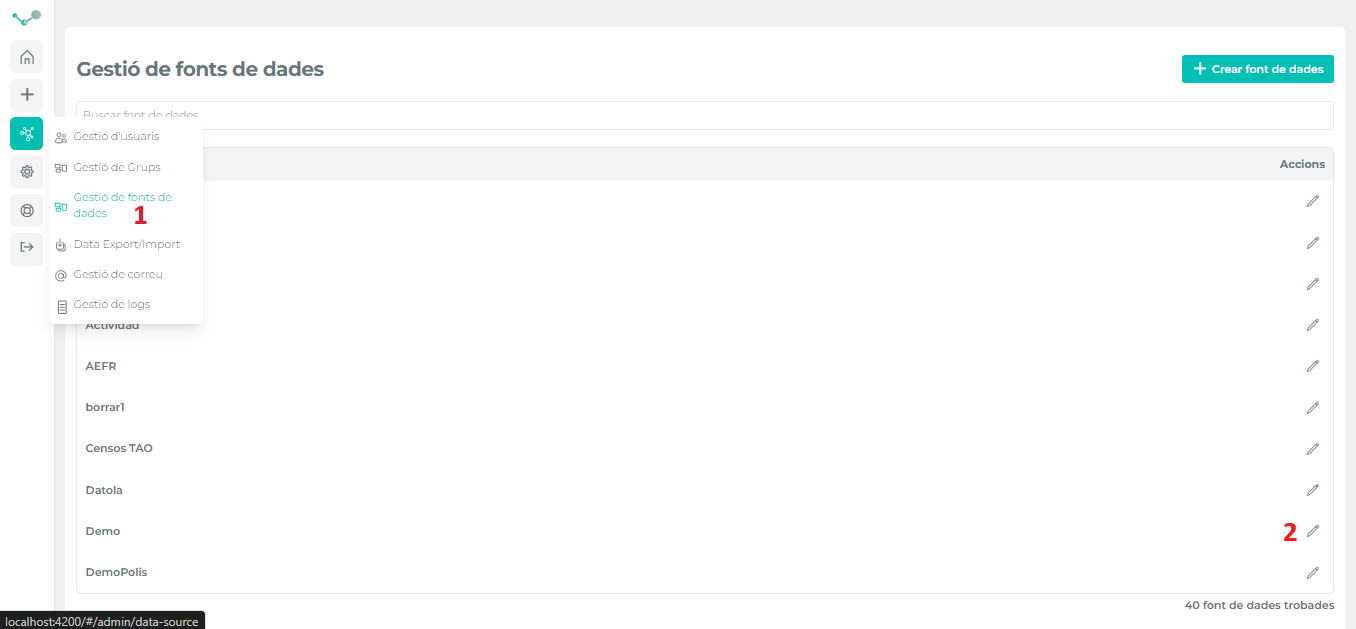
- Go to the corresponding option of the management menu and select the data source to be changed:
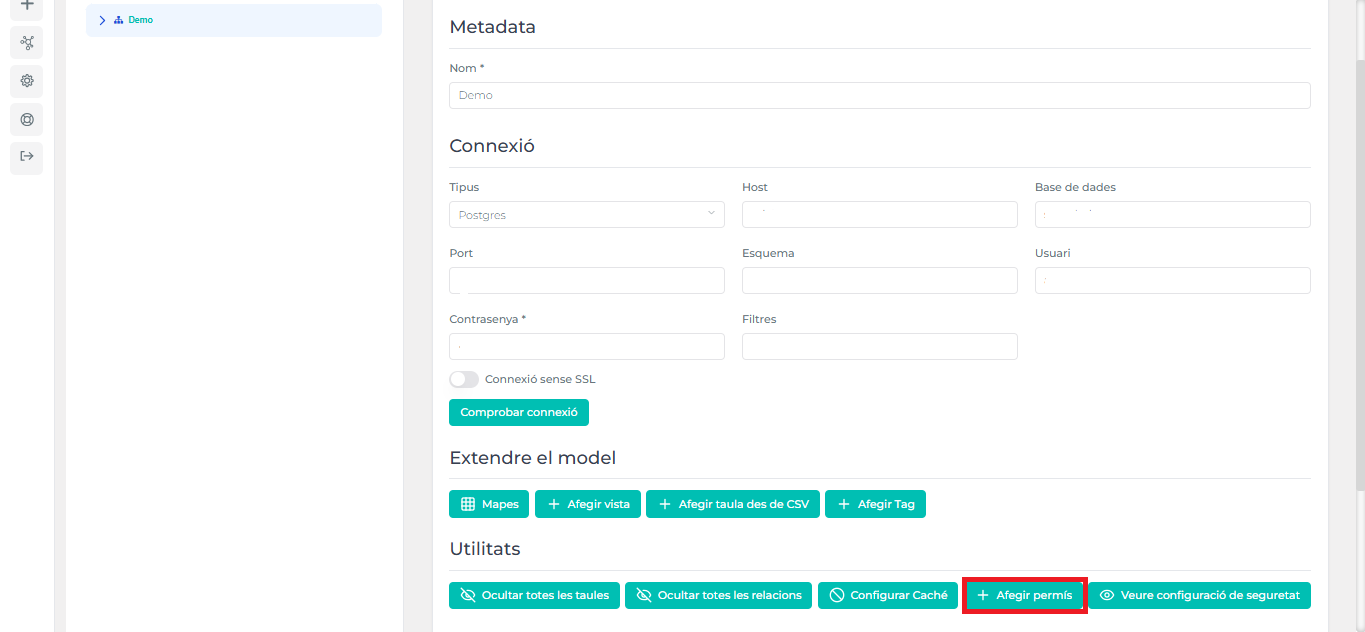
- Then go to “Add permission”:
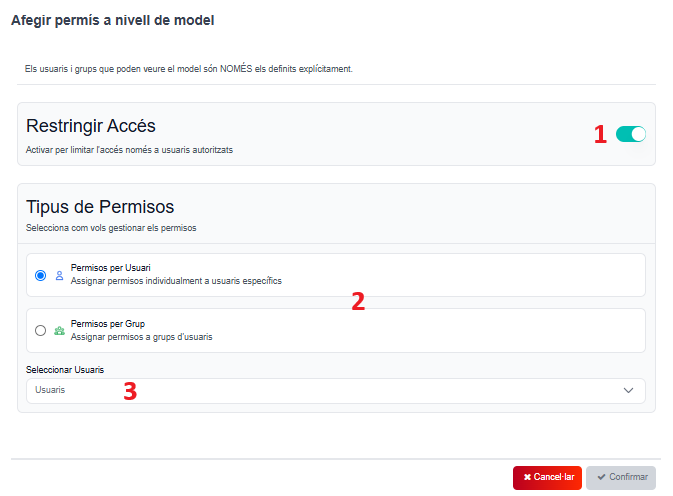
- It will take you to this box. In this box, you can activate and/or desactivate “Restrict access” (1). Then, in “Types of permissions”, choose “Permissions for users” or “Permissions for groups” (2), depending on your needs. Finally, select the user/s or group/s you want to grant permission to, and “Confirm”.
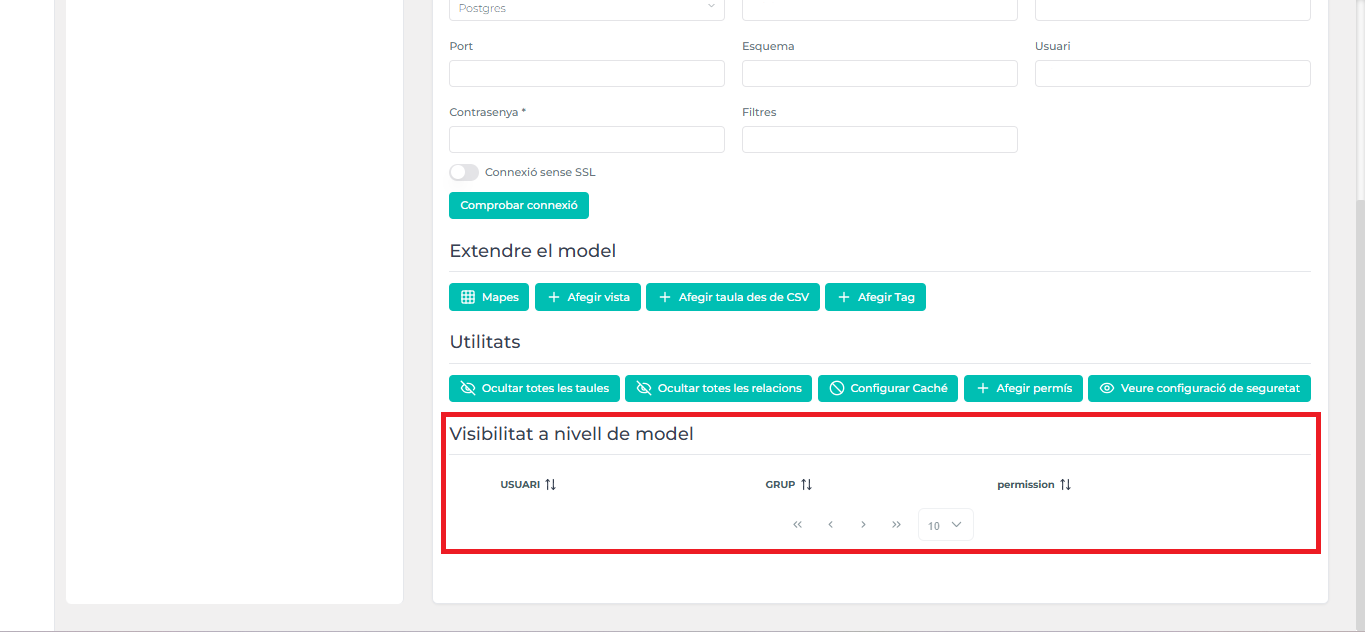
- Once permissions are granted, you will see the “Model-level visibility” section here. In this section, you can see the user, his group, and the assigned permission.
Video tutorial
Section titled “Video tutorial”See security settings
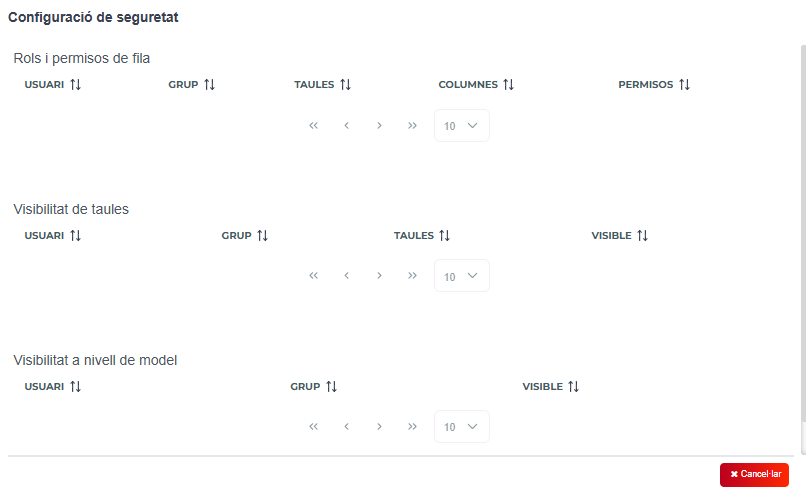
Section titled “See security settings”In the same section, you can see the security settings. Next to “Add permission” there is “See security settings”.
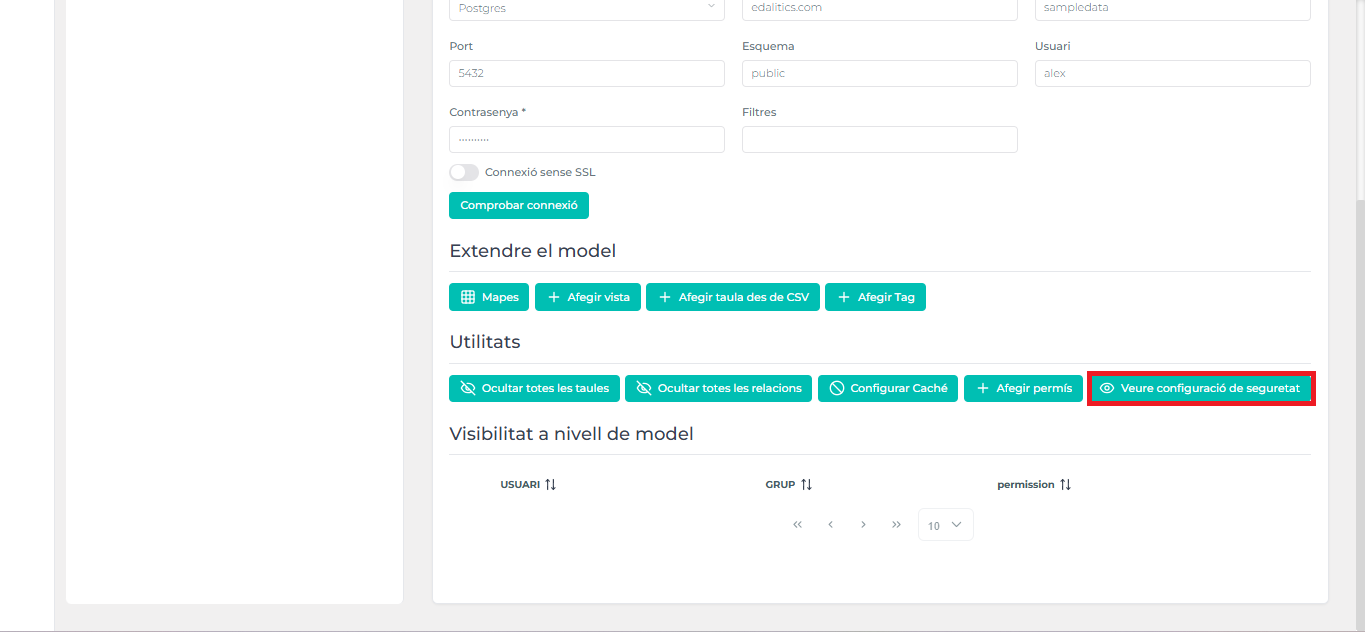
- Just click on it, and you will see the security settings. In this section, there are the security settings/permissions of “Row roles and permissions”, “Table visibility” and “Visibility at the model level”: